Purlie: the row counter that remembers your pattern
A knitting and crochet counter for iPhone, iPad and Apple Watch. Tap anywhere to count rows, rounds and stitches, and Purlie the yarn ball reminds you when to decrease, start the armhole or turn the heel.
Download on the App StoreFree to use. Purlie Plus is one payment, no subscription. No ads, no account.
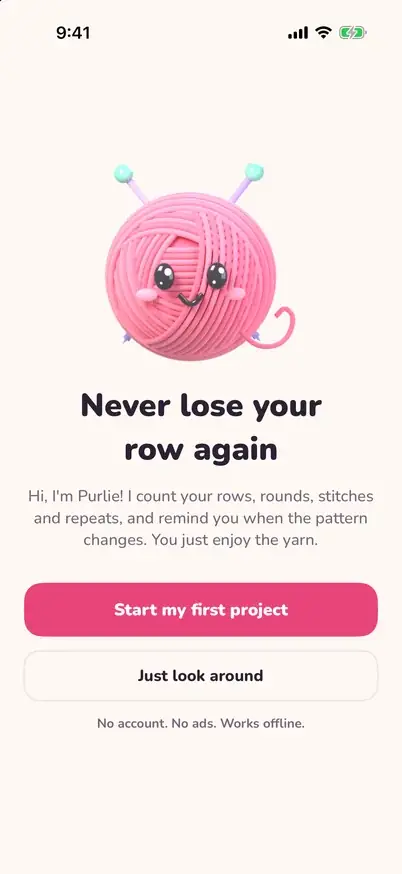
Never lose your row again
One big tap to count
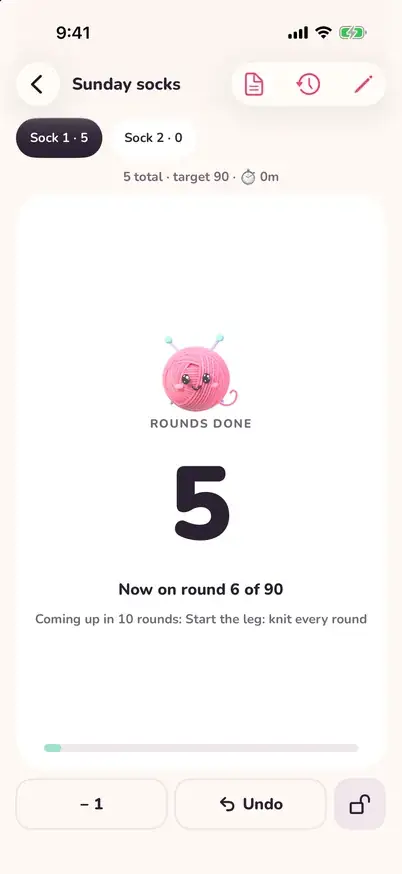
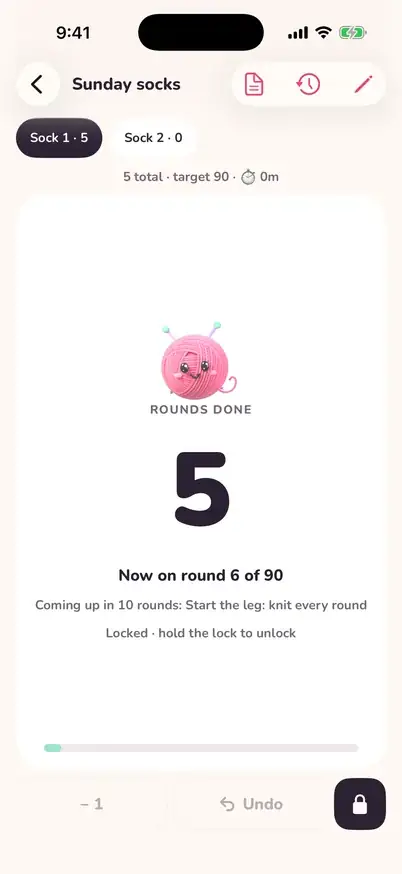
The whole card is the + button, with a gentle haptic tick. Your count is saved after every single tap, so it survives a closed app or a flat battery.
Reminders when the pattern changes
"Row 30: start armhole" or "decrease every 6th row, 8 times". Several reminders show at once for AT THE SAME TIME instructions.
Repeats without the math
Set the repeat length and Purlie shows "row 3 of 8, repeat 2" for cables and lace, worked out from your row so it can never drift.
Stitch counts and amigurumi rounds
A stitch counter with targets per round (6, 12, 18...) that resets on every new round.
Projects with pieces
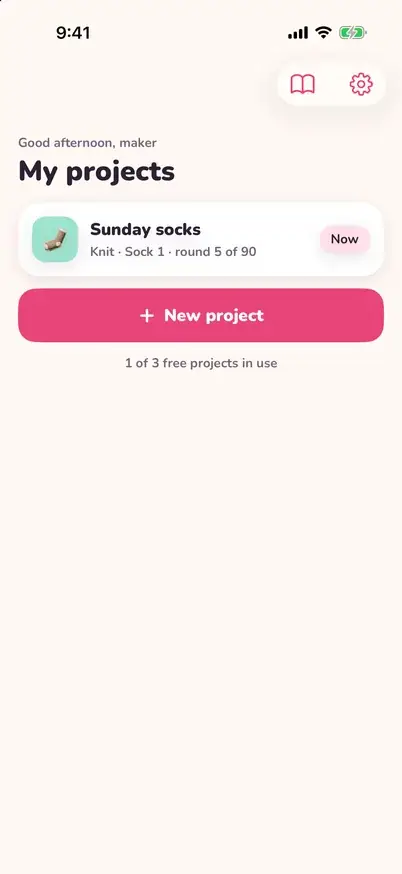
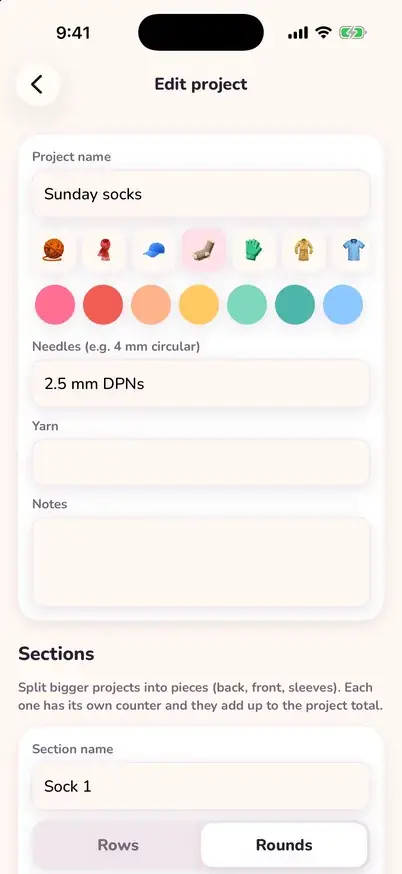
Split a sweater into back, front and sleeves; they add up to a project total. "Make it twice" copies a sleeve or sock so the second matches the first.
Count without opening the app
Apple Watch, lock-screen Live Activity, home and lock-screen widgets with a + button, Siri, Shortcuts and the Action Button.
"Did I click it?" answered
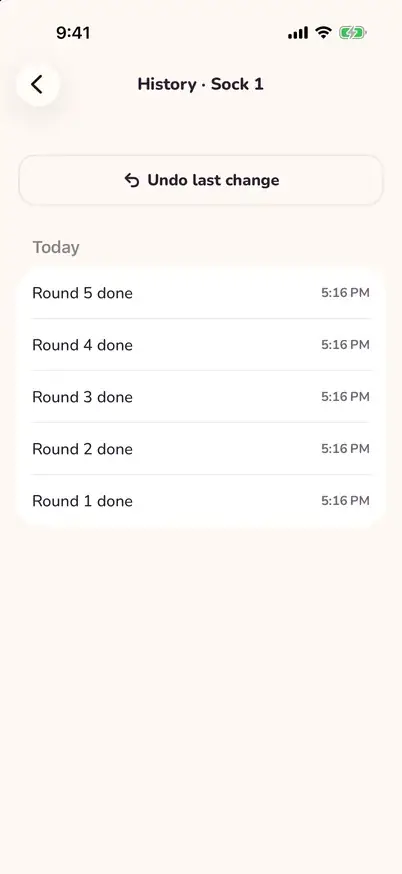
"Saved · last tap 2 min ago" sits under the number. Undo any number of steps, see a plain-language history, and lock the counter while it sits in your bag.
Screen stays awake, works offline
No unlocking between rows and no internet needed. Everything stays on your device.
Apple Watch, free
Tap or turn the Digital Crown to count from your wrist, with a watch-face complication. It syncs with your iPhone.
Made to make you smile
Purlie hops with every row, cheers at milestones and puts on a little hat when you finish. Big numbers that grow with your text size, VoiceOver and Dark Mode.
Free, or Purlie Plus with one payment
Counting, sections, reminders, repeats, the stitch counter, widgets, Siri, the glossary and backups are free forever. Purlie Plus adds unlimited active projects (free keeps 3 active at once) and the pattern viewer: open a PDF or photo of your pattern and a highlighter moves down a line with every row you count. One payment, shared with your family through Family Sharing.
Questions
Is there a subscription?
No. Purlie is free to download and use. Counting, sections, reminders, the repeat tracker, the stitch counter, widgets, Siri and backups are free forever. Purlie Plus is a one-time purchase that adds unlimited active projects (free has 3 active at once; finished projects do not count) and the pattern viewer. There are no ads and no subscription.
Does Purlie work with Apple Watch?
Yes, and it's free. On Apple Watch you tap or turn the Digital Crown to count, and a watch-face complication shows your row. Every count syncs with your iPhone. You can also count from the iPhone lock screen (Live Activity), widgets, Siri, Shortcuts and the Action Button.
Can Purlie count stitches and rounds, not just rows?
Yes. Each section can count rows (flat work) or rounds (in the round, like hats, socks and amigurumi). You can add a stitch counter to a section, give each round a stitch target such as 6, 12, 18 for amigurumi, and have it reset at every new row or round.
Can Purlie remind me when the pattern changes?
Yes. Add a reminder for one row ("Row 30: start armhole") or a repeating rule ("decrease each end every 6th row, 8 times"). Several reminders can show at once, so AT THE SAME TIME instructions are easy to follow. A repeat tracker shows "row 3 of 8, repeat 2" for cables and lace.
Can I count from the lock screen?
Yes. On iPhone a Live Activity shows your count with a + button on the lock screen and in the Dynamic Island, and the home-screen and lock-screen widgets also have a + button. You can also say "Hey Siri, add a row in Purlie" or set it on the Action Button.
Does Purlie work offline?
Yes. Everything works offline. Your count is saved after every tap, so closing the app or a dead battery does not lose your place.
Does the screen stay on while I count?
Yes. Purlie keeps the screen awake while a counter is open, so you don't have to unlock your phone between rows. You can turn this off in Settings.
How do I know if I already counted this row?
Under the number Purlie shows "Saved · last tap 2 min ago", so after a break you can tell whether you tapped at the end of the row. The history lists every change with its time, and you can undo any of them.
Can I make the numbers bigger?
Yes. The row number is big and bold and grows with your iPhone text size (Dynamic Type). Purlie also works fully with VoiceOver, which reads "Row 24. Double-tap to add a row", and supports Dark Mode and Reduce Motion.
Does Purlie collect my data?
Very little, and nothing tied to you. Purlie has no account, no ads and no tracking. It sends anonymous usage stats (like which screens are used) so we can improve the app, and the App Store privacy label is "Data Not Linked to You". Your projects, notes and patterns stay on your device and in your own device backup, and you can save a backup file any time.
Can I import my projects from Ravelry?
Yes. Tap Import from Ravelry, sign in on Ravelry's own page, and pick items from your queue or projects. Purlie copies the pattern name, designer, yarn weight and needle or hook size into a new project. It is optional, Purlie never posts or changes anything on Ravelry, and Purlie is not affiliated with or endorsed by Ravelry.
Is Purlie good for beginners?
Yes. Starter projects set up a scarf, beanie, socks, sweater, amigurumi ball, granny square or blanket with the right sections and reminders, and a built-in glossary explains knitting and crochet abbreviations, including US and UK crochet terms.
Learning to keep count? Read how to keep track of rows in crochet, how to count rows in knitting and how to count amigurumi rounds. Comparing apps? See the best row counter apps for knitting and crochet.
Get Purlie free